Localisation Process Automation
Creating scalable solutions for translation management to reduce manual errors, bottlenecks, and cognitive load.
Overview
- Company: PikPok
- Duration: Phase 1 (4 Weeks) & Phase 2 (3 Weeks)
- Tools: FigJam, Google Sheets, Apps Script, GPT-4, Gemini Pro
The Challenge
The studio's legacy string management relied heavily on manual intervention from specific individuals, creating development bottlenecks and increasing the risk of translation errors.
The Aim
To design a simplified, scalable localisation process that enables cross-functional teams to monitor their own progress and self-manage translations without friction—establishing a reliable standard for all future titles.
Release Impact
3-step reduction in manual processes across the localisation pipeline.
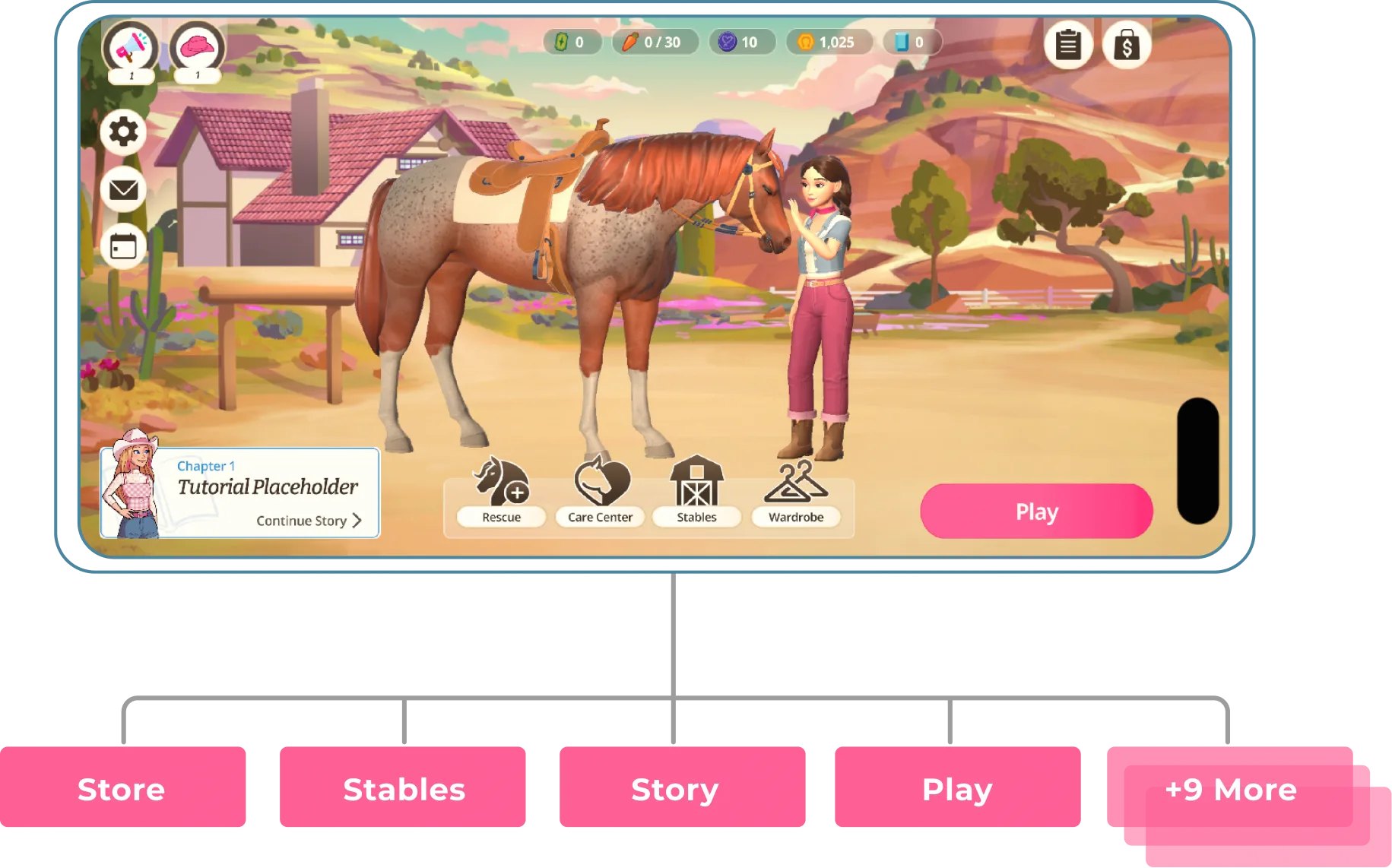
2 major projects supported: Designed and scaled systems for Rival Stars (high-monetising) and Barbie (pre-launch).
Saved 40+ hours of manual prep by developing a custom C# script to automate string character length, character limit auditing, and localisation tracking.
Enabled "no-code" updates by surfacing key Apps Script variables in Google Sheets, allowing cross-functional teams to edit logic without touching raw code.
Rival Stars Localisation Overview
Rival Stars Horse Racing supports 18 languages and manages over 6,500 unique strings for each language—the largest string database of any project within the organisation.
Process Overview
- 1
Audit & Map: Evaluated the existing manual pipeline with key stakeholders to identify high-friction bottlenecks and code redundancies.
- 2
Script Automation: Wrote custom Google Apps Scripts to eliminate manual row generation and streamline the image documentation workflow.
- 3
Structural Architecture: Overhauled the spreadsheet UX with strict data validation, contextual views, and a consolidated status system.
- 4
Scaling & Tooling: Built a macro-level tracking dashboard and adapted the system for a new pre-launch title using dynamic C# constraints.
Audit
The first step was to audit the entire process from start to finish. I mapped this with key stakeholders who were involved in the localisation pipeline.

Findings
- Manual Dependency: Key workflow triggers relied on individuals remembering to copy-paste data, leading to errors and low efficiency.
- Low Visibility: The sheet was noisy and had no clear status tracking for translation progress. This specifically hindered QA when testing final builds.
- System Fragility: The existing script would consistently break, resulting in hours of lost time diagnosing and fixing translations.
- Redundant Code: When uploading translations, developers had to manually sift through changes in source control that weren't relevant to our uploads, sometimes taking up to 10 minutes per upload.
Reducing Cognitive Load on the String Table
We moved from a cluttered, confusing mess to a streamlined interface built on 5 essential statuses. I re-shuffled sheet priority to ensure static instructions no longer blocked the active workflow.
Original String Table

New String Table

Design Iterations
To solve the workflow bottlenecks, I divided the improvements into two categories: automating repetitive tasks via custom scripts, and redesigning the sheet's architecture to prevent human error.
1. Script Automation
By writing custom Google Apps Scripts, I removed the most tedious, repetitive tasks from the producers' daily workflow.
One-Click Row Generation A custom script automates cell formatting and pre-fills standard marketing metadata.
⚡ Impact: Reduced the row creation process from 8 manual steps down to just 2 clicks.

Automated Image Uploader To speed up context documentation, I integrated Google Drive directly into the workspace to eliminate context-switching.
⚡ Impact: Reduced the image upload workflow from 5 steps to 3.

2. Structural & Architectural Updates
Beyond scripts, the spreadsheet itself needed a UX overhaul to reduce cognitive load and prevent broken strings from reaching the game engine.
- Smart Navigation: Built an auto-scroll function that jumps instantly to the newest entries upon opening. This eliminated manual scrolling and saved a navigational click on every load.
- Focused Views: Stripped away deprecated columns and grouped regional translations into collapsible sections. This hides non-essential data until it's actively needed, drastically reducing visual noise.
- Error-Proofing: Replaced manual text entry with strict data-validation dropdowns for repetitive inputs. This speeds up data entry and physically prevents typo-based errors from breaking the game build.
- Status Overhaul: Consolidated dozens of redundant legacy statuses down to the core actionable states. I implemented strict colour-coding to make sheet-wide progress instantly scannable at a glance.
Translation Dashboard
To keep the core String Table lightweight and accessible, I extracted the specialist localisation data and built a dedicated Translation Dashboard.

- Separation of Concerns: Removing complex translation columns from the main table reduced the cognitive load for general team members, encouraging them to confidently add new strings. Meanwhile, the core localisation team gained a focused, distraction-free workspace.
- Centralised Visibility: Instead of forcing the team to sift through thousands of master rows, this dashboard acts as a one-stop shop. It surfaces only actionable data, instantly improving workflow tracking and visibility for all stakeholders.
Translation Process Automation
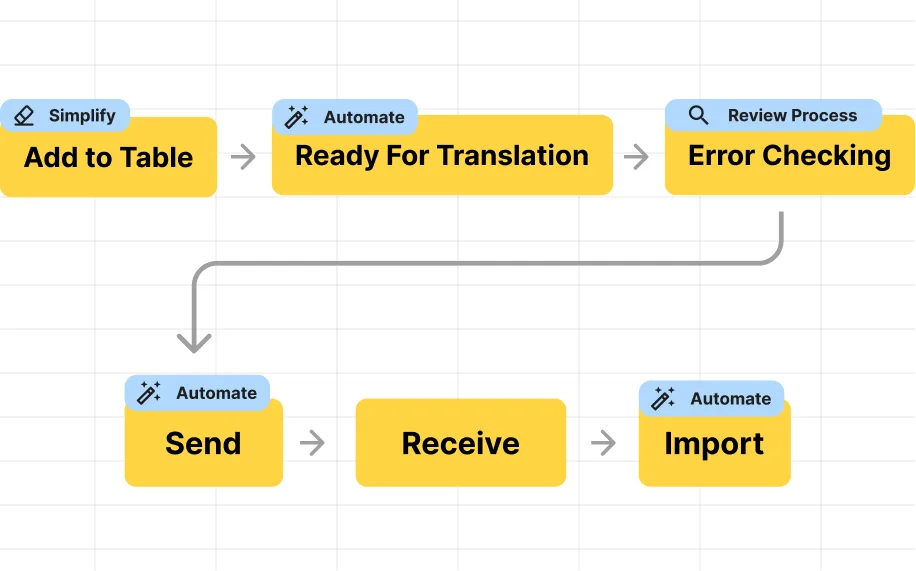
Taking what I had learned from the workshop and process mapping, I implemented solutions to reduce friction across both the sending and receiving workflows.
Sending Translations
Original Process
- 1
Navigate & Search: Team member goes into the
strings_standardsheet in the String Table. - 2
 Manual Tagging: String is marked as "STANDBY" in the status column.⚠️
Prone to human error; easily missed since the sheet is thousands of rows long.
- 3
Filtering: Applies manual filters to sort by STANDBY and DRAFTED to ensure nothing was left behind.
- 4
Copy Content: Highlights the filtered rows, copies them, and switches over to the Strings Untranslated tab.
⚠️High risk of accidentally skipping rows or missing columns when manually highlighting across thousands of cells.
- 5
Data Entry: Pastes the strings into the new tab.
⚠️Manual pasting frequently overrides strict data-validation rules and breaks target sheet formatting.
- 6
Email Sent: Leaves Google Sheets entirely, opens an email client, drafts a message, and manually sends it to the translation manager.
New Process
- 1
 Contextual Tagging: Strings are marked as "READY FOR TRANSLATION" in the status column.⚡
Sends all data directly into the Translation Dashboard.
💡Eliminates the need to manually filter, highlight, and copy-paste between tabs.
- 2
Visual Verification: The team member reviews the Translation Dashboard to ensure everything looks correct before sending.
💡An automated reminder email fires off on the due date if strings haven't been sent yet, ensuring deadlines are never missed.
- 3

Execution: The user clicks the Send Translations macro button on the dashboard.⚡System Execution: In a fraction of a second, the script:
- Moves the strings to the "Sent for Translation" tab.
- Dispatches an automated email to the translators with the sheet link and context.
- Stamps the exact "Date Sent" in the core table.
- Updates the source strings' status to WAITING FOR TRANSLATION.
Receiving Translations
Original Process
- 1
Handoff: Translators copy finished strings into the
strings_translatedfolder and notify the team via email. - 2
Legacy Script: A team member navigates through a custom dropdown menu to run an old import script.
⚠️The script was highly unstable, broke frequently, and was buried deep within the native Google UI.
- 3
Manual Tagging: Once imported, the user must manually hunt down the new rows and change their status to "TRANSLATED".
⚠️Prone to human error; easily missed, which breaks tracking metrics.
- 4
Engine Export & Source Control: Export the .CSV, upload it to the Unity editor, and push via source control software.
⚠️Team members had to manually sift through irrelevant source control changes to find their strings, adding up to 10 minutes of wasted time per upload.
- 5
Final Status Update: The user returns to the spreadsheet to manually change the status of those strings to "IMPORTED".
⚠️This was consistently forgotten.
New Process
- 1
Handoff: Translators copy finished strings into the
strings_translatedfolder and notify the team via email. - 2
 Single-Click Import & Validation: A team member clicks the macro button on the dashboard.
⚡
Single-Click Import & Validation: A team member clicks the macro button on the dashboard.
⚡System Execution: In a fraction of a second, the script:
- Dynamic Mapping: Locates headers dynamically to inject translations, making the script immune to layout changes.
- Dual-Validation: Cross-references the string key and original English text to guarantee flawless alignment.
- Automated Tagging: Updates master statuses to "TRANSLATED" and logs the exact timestamp.
- Transfer Log: Generates a visual pass/fail summary, acting as a final firewall before bad data reaches Unity.
- 3
Clean Engine Export: The fully validated .CSV is exported, uploaded to the Unity editor, and pushed via source control.
💡Collaborated with a developer to remove redundant export code, eliminating source-control noise and saving 10 minutes per upload.
- 4
Final Status Update: The user returns to the spreadsheet to manually change the status of those strings to "IMPORTED".
💡System Constraint: Acknowledging API limitations between Google Sheets and Unity, this single manual status update was retained as a healthy final human-check after a successful engine push.
1. Unifying Fragmented Data
- The Problem: The database was initially split across multiple feature tabs, which broke the original script's logic.
- The Solution: Upgraded the spreadsheet architecture to intelligently process data across multiple feature tabs without breaking the unified tracking system.
2. Eliminating Company-Wide Redundancy
- The Problem: A lack of global visibility meant the studio risked paying for duplicate translations and bloating the database.
- The Solution: Developed an additional custom script to scan for duplicate entries across the company's entire localisation database.
⚡ The Impact: Identified over 400 duplicate strings and successfully surfaced 300+ existing translations, noticeably reducing technical debt and translation costs.
3. Automating Custom UI Limits
- The Problem: The game used bespoke text components with varying layout rules, making standard text overflow prevention difficult.
- The Solution: Authored a custom C# script (leveraging Gemini Pro) to dynamically calculate character limits based on the unique UI components, bridging Google Sheets directly with Unity.
⚡ The Impact: Reclaimed a full week of developer time. The script provided a reliable baseline and generated automated issue reports, meaning the team only had to manually check flagged edge cases.
4. Establishing Pipeline Visibility
- The Problem: Being a completely new project, there was no high-level way to track the status of thousands of strings moving through the pipeline.
- The Solution: Built a dedicated, macro-level tracking dashboard to monitor real-time localisation progress across all game categories.
⚡ The Handoff: Collaborated closely with stakeholders to stress-test and refine this toolset, ensuring the engineering team inherited a robust, self-sustaining architecture before I rolled off the project.
The Final Impact
By applying UX principles to our internal tools, we established a much more sustainable localisation pipeline. Moving from a fragmented, manual process to a centralised architecture reduced developer overhead, surfaced existing translations to optimise the budget, and created a more reliable handoff between teams. It demonstrated that thoughtful systems design can have just as much impact behind the scenes as it does on the screen.